


Apphud 2.0 Is Here: Business Overview and Enhanced Analytics, Smarter A/B Tests, Granular Permissions & more
Apphud 2.0 helps you see any audience's full monetization setup at a glance, unify analytics across the whole organization and platforms, run placement-wide A/B tests, and manage more of Apphud yourself.
We've launched Apphud 2.0 — the biggest release in our history. Whether you're already running apps with us or just created an account a while back, now is the moment to log in: the dashboard you'll see is a completely different product.
Here's what's new.
Everything in one place
Open any audience and instantly see its full monetization setup — which paywalls show, in what priority, with what fallback. It all lives in Mission Control, built around a new concept called Targetings: each targeting links an audience to the paywalls it should see across every placement, ranked top to bottom with a fallback to Default.
The payoff is a question you can finally answer at a glance — "what does a New User actually see across my app?" Instead of clicking through every placement to reconstruct it, you open one targeting and the whole scheme is right there. You can even attach an App Remote Config (a bit of JSON delivered to that segment through the SDK) to tweak in-app behavior or copy for a group of users without shipping an update.
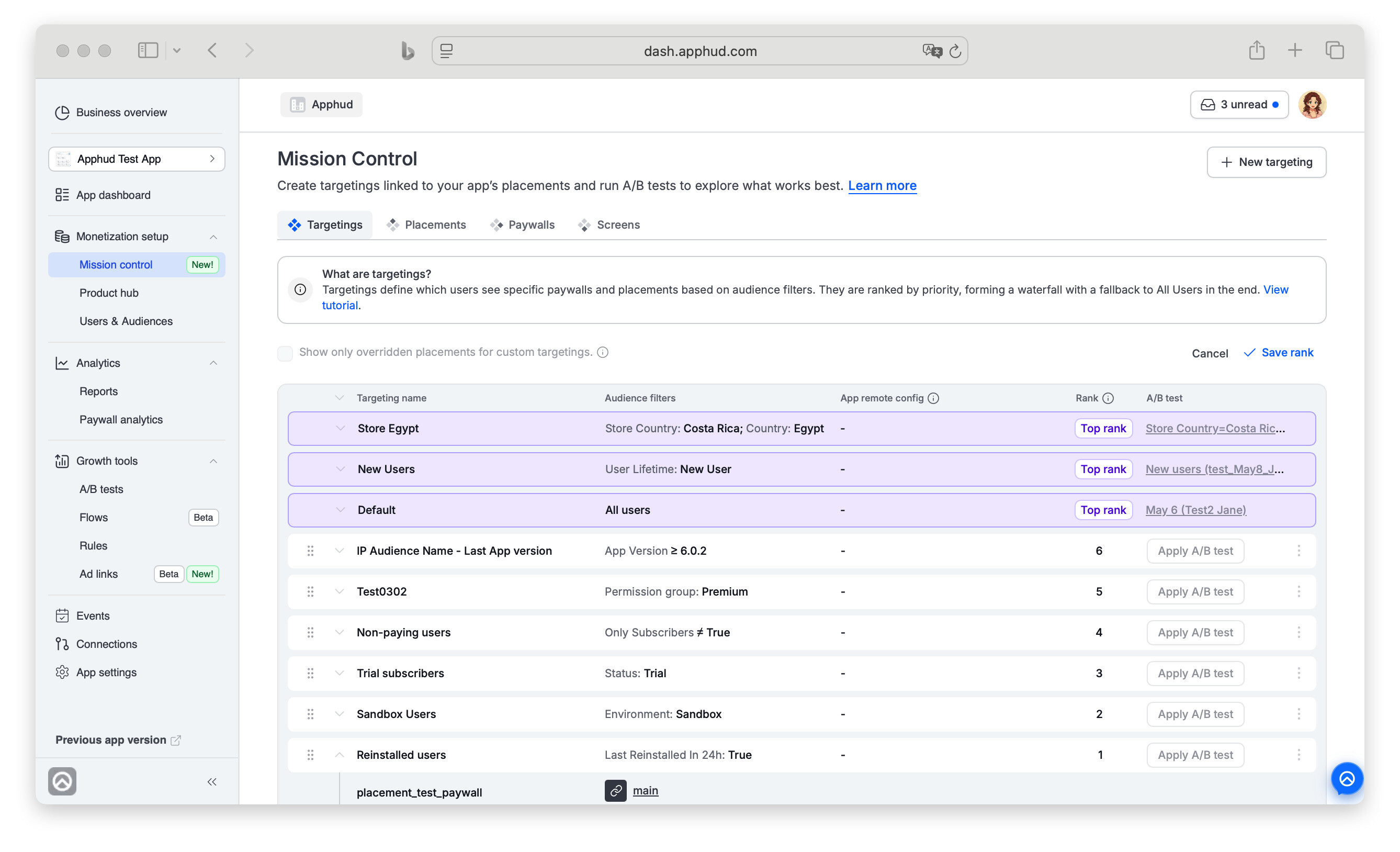 Audience monetization schemas at Apphud
Company-wide analytics, finally unified
The new Business Overview is a single board for your entire portfolio. Build custom dashboards that pull metrics across every app and platform — iOS, Android, and Web — into one view: MRR, conversions, cohorts, period-over-period comparisons.
Each widget is yours to shape — pick the app(s), the metric, the period, and filters like platform, country, or product — then drag them into whatever layout makes sense. Start from a ready-made template or a blank board, mix real-time snapshots with historical trends, and stop stitching numbers together by hand. Learn more
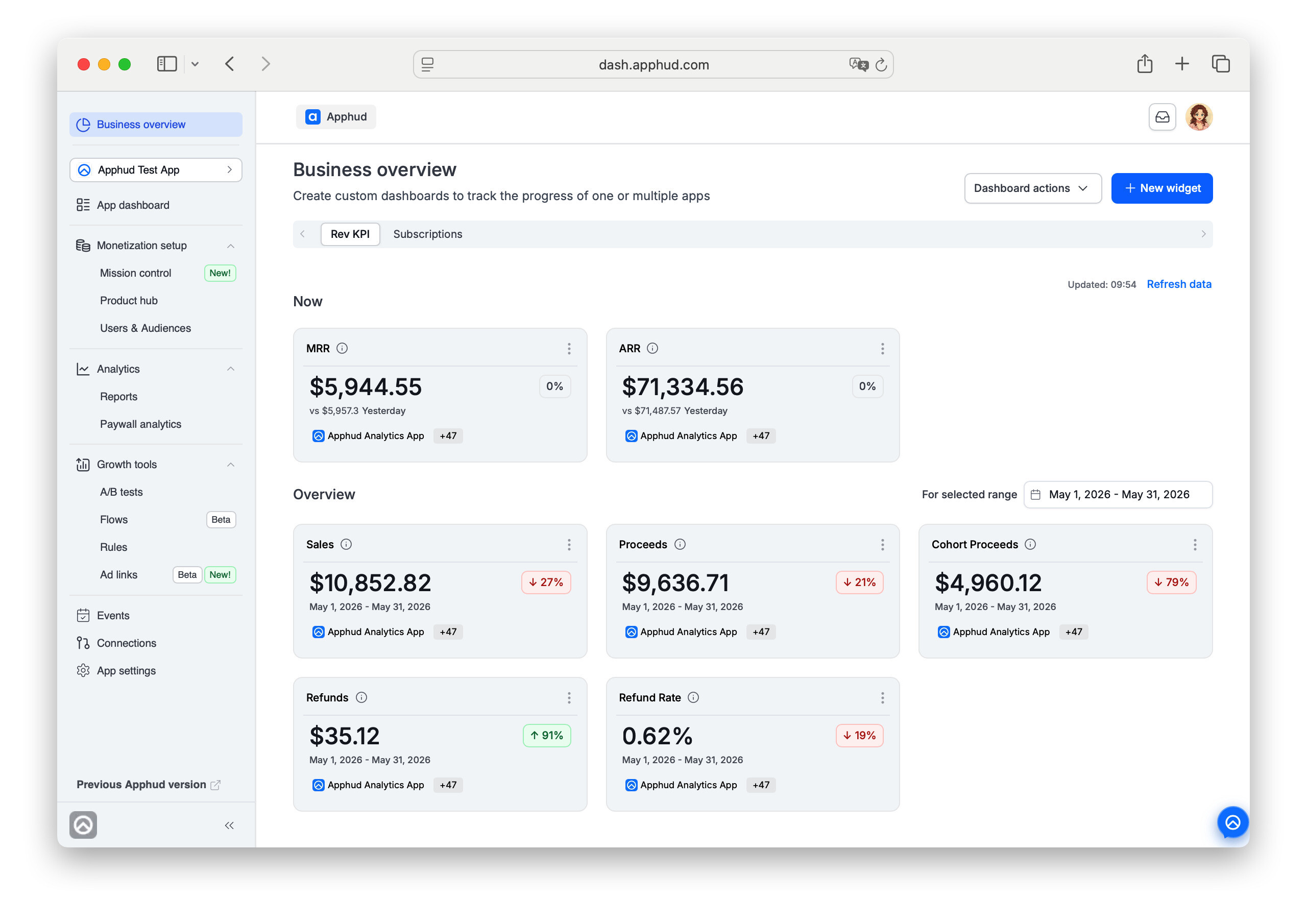 Business Overview at Apphud
A/B tests that scale
A/B tests now run on a targeting, not a single paywall screen — so one test can vary the paywalls across all of an audience's placements at once. You're testing the entire monetization experience a segment sees, which means a bigger-picture read and faster, cleaner decisions.
Setup is simpler too: variations use plain ratios like 1:1 or 2:1, the audience is inherited from the targeting, and a new Manage test users option lets you pin specific users to a variation — handy for QA-ing a variant before you roll it out. Learn more
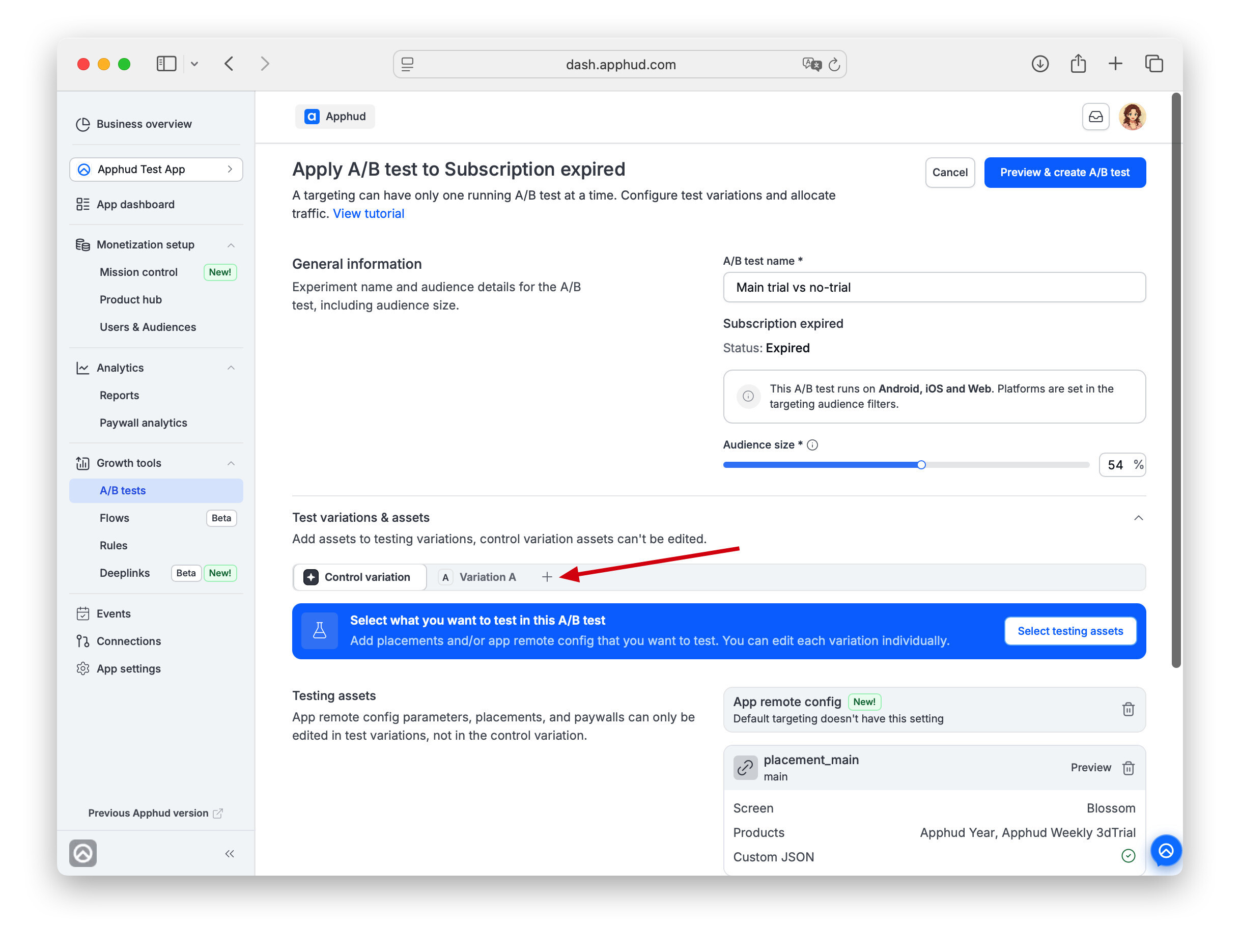 Advanced Experiments at Apphud
Permissions, exactly as granular as you need
Not everyone needs the same access, so you get two levels of control: organization roles (Owner, Administrator, User) and ready-made per-app templates — Developer, UA manager, Marketing manager, Support manager, Viewer, and more. Hand analytics to one teammate, paywalls to another, a read-only view to a third, or fine-tune access area by area.
Running multiple brands or clients? Organizations keep them fully separate — each with its own apps, team, plan, and billing. And transferring ownership is now self-serve: no support ticket, it happens instantly in the dashboard.
Bringing on a whole team at once? Paste everyone's emails in one go — they all join with the same role and access. Learn more
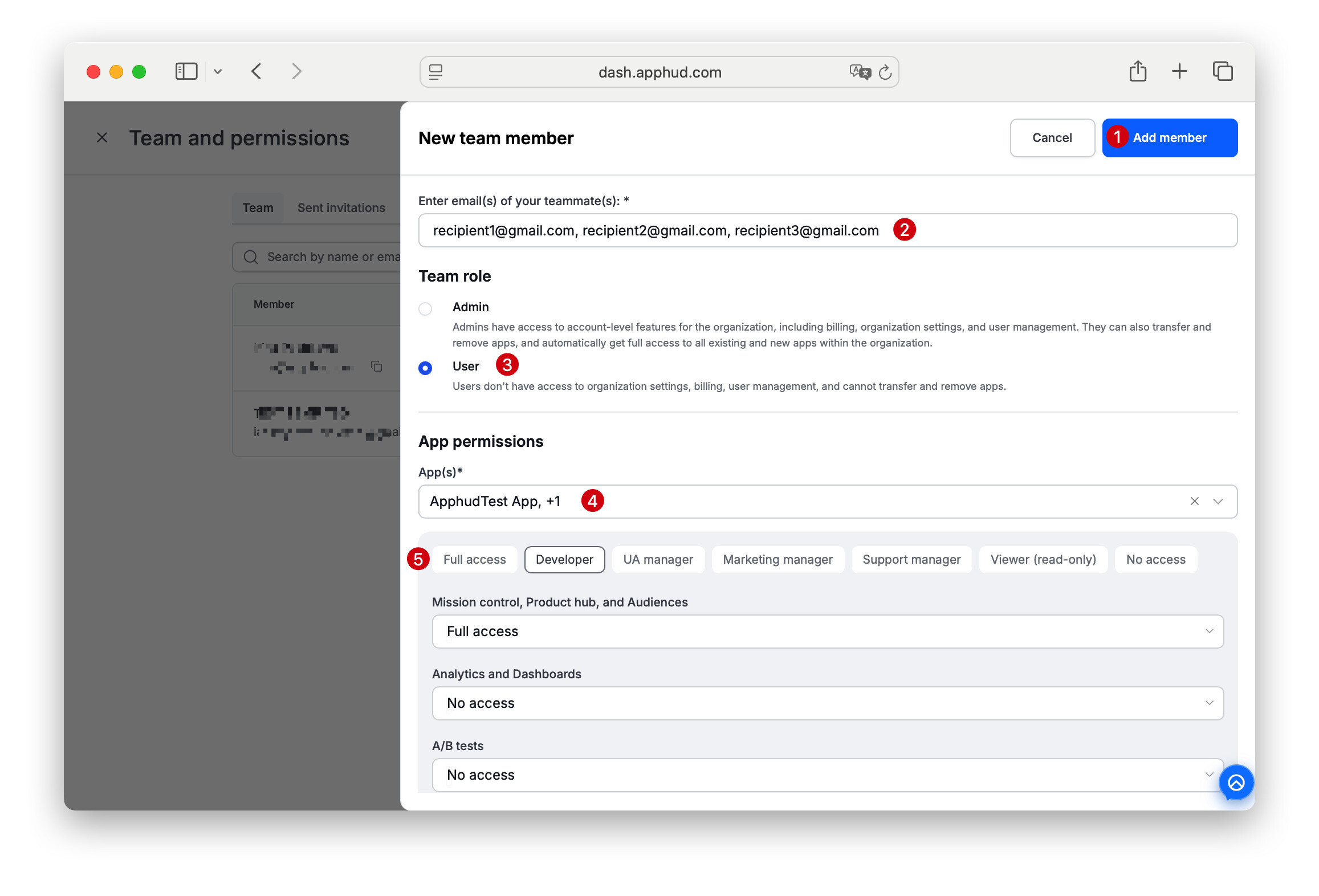 Setting Role-based Permissions for collaborators at Apphud
Deferred deeplinks that close the loop
Embed a deferred deep link anywhere users come from — an ad campaign, a promotional offer you send out, or a link you hand to influencers — and it takes them straight into the app, right where you want them to land, context intact. The web-to-app journey finally feels like one flow, not two disconnected halves.
Run ads on Facebook, TikTok, or Google, send people to a web landing page, and Apphud attributes the resulting installs back to the exact campaign that drove them. Because it doesn't lean on IDFA, attribution holds up where ad platforms usually go dark — and web-to-app campaigns often come in at a lower CPA than classic app-install ones. Learn more
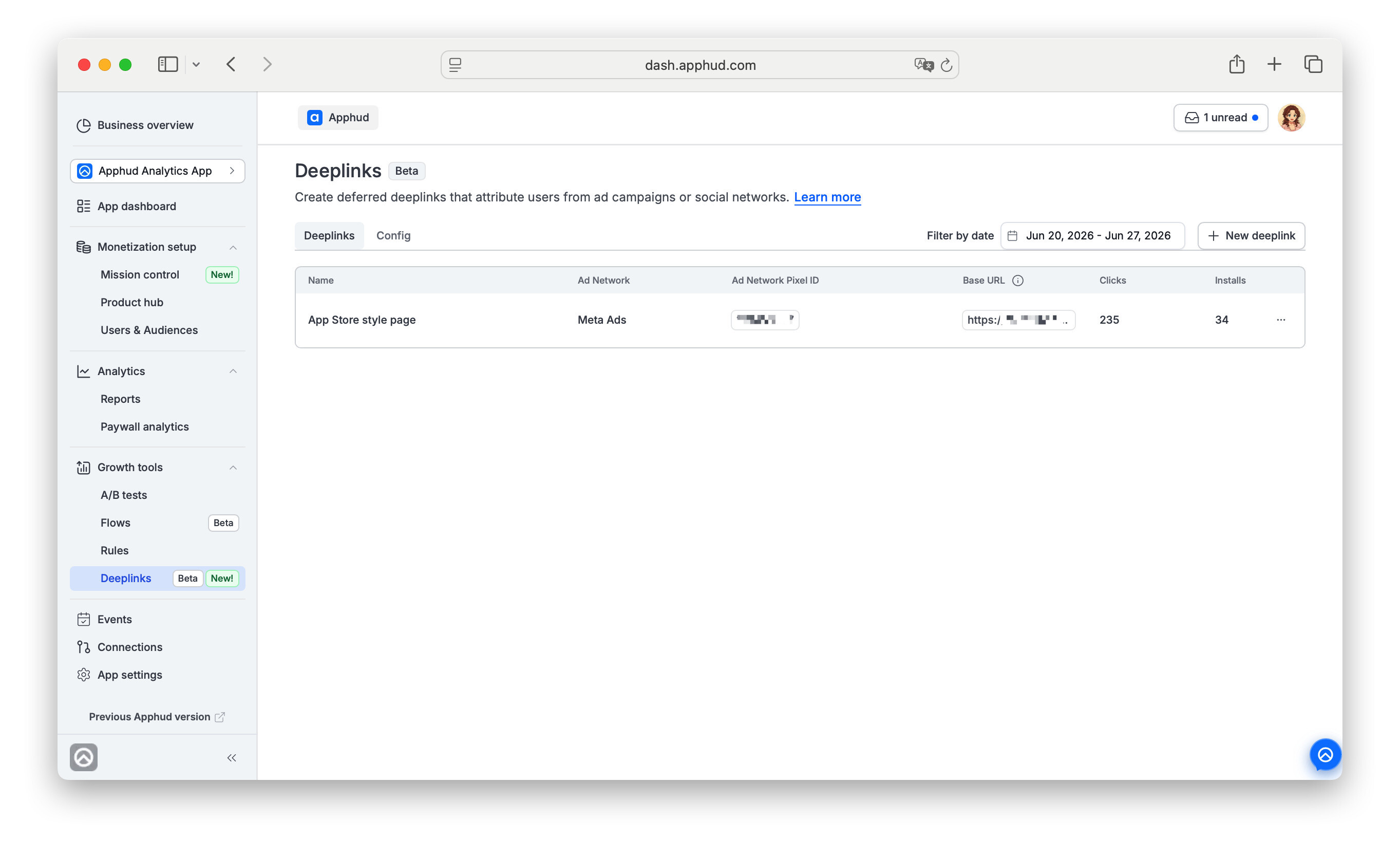 Deeplinks at Apphud
Reach users at the right moment — in their own time
Schedule a rule in each user's device timezone instead of one global project time. Set a push for 9 AM and it lands at 9 AM for every user, wherever they are — no more 3 AM notifications for half your audience.
Figma paywalls, live in Rules.
Design a paywall in Figma and show it to real users through Rules — no rebuilding it in a separate editor. What you design is what ships.
A natural fit is a Win-Back Promo: when someone cancels auto-renewal or when subscription expires, a Rule can surface your Figma-designed paywall with the right offer at the right moment — reusing the exact design your team already made. Learn more
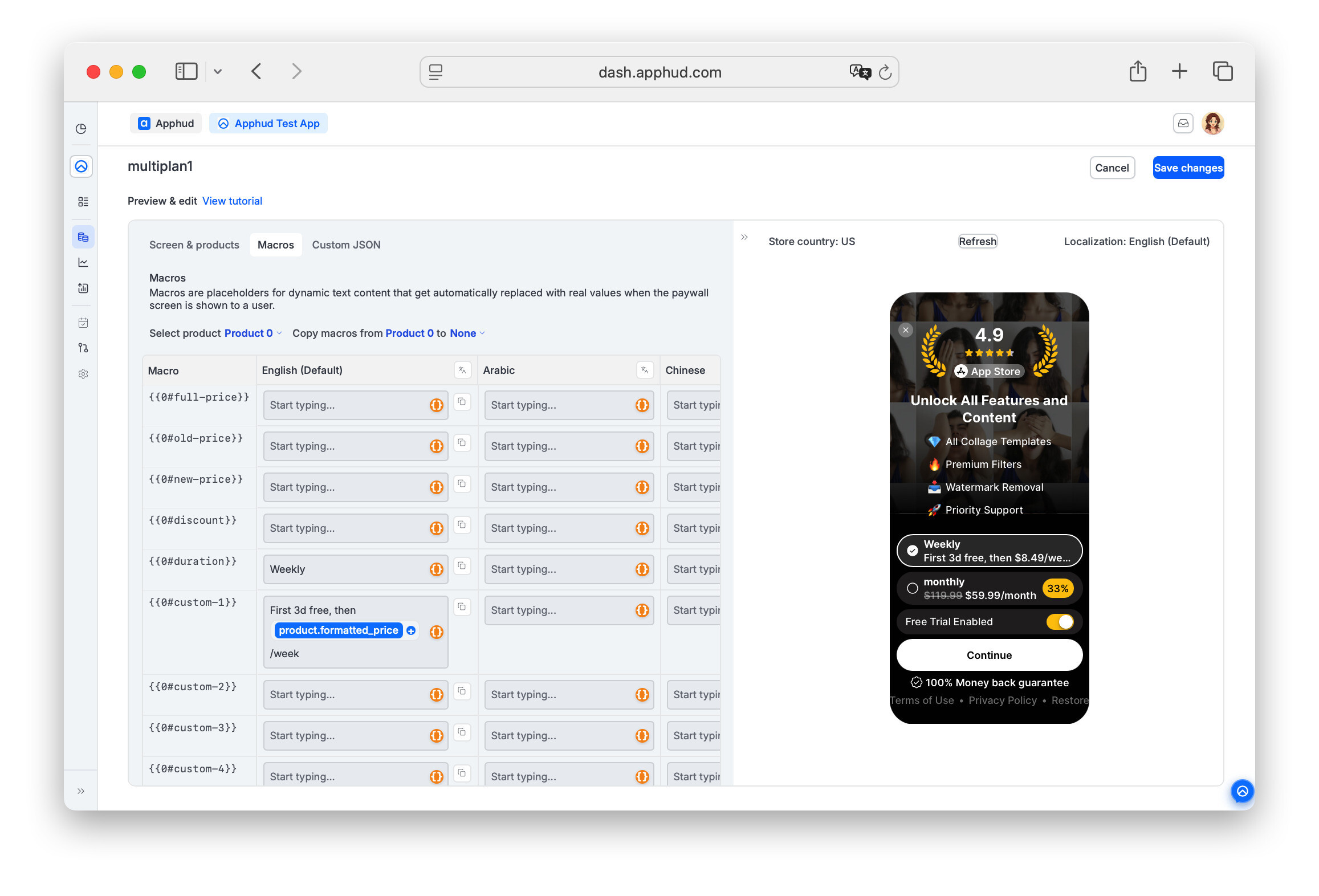 Paywall Screen for Win Back campaings at Apphud
Sharper targeting.
Building an audience got a lot more precise. New filters — Payment Provider, OS Version, Install Source, etc. — join comparison operators, so "version 4.2 and up" is a single condition instead of a long list.
And filters now have an is / is not toggle: exclude a country, a product, or a channel in one step, without spelling out all the ones you do want.
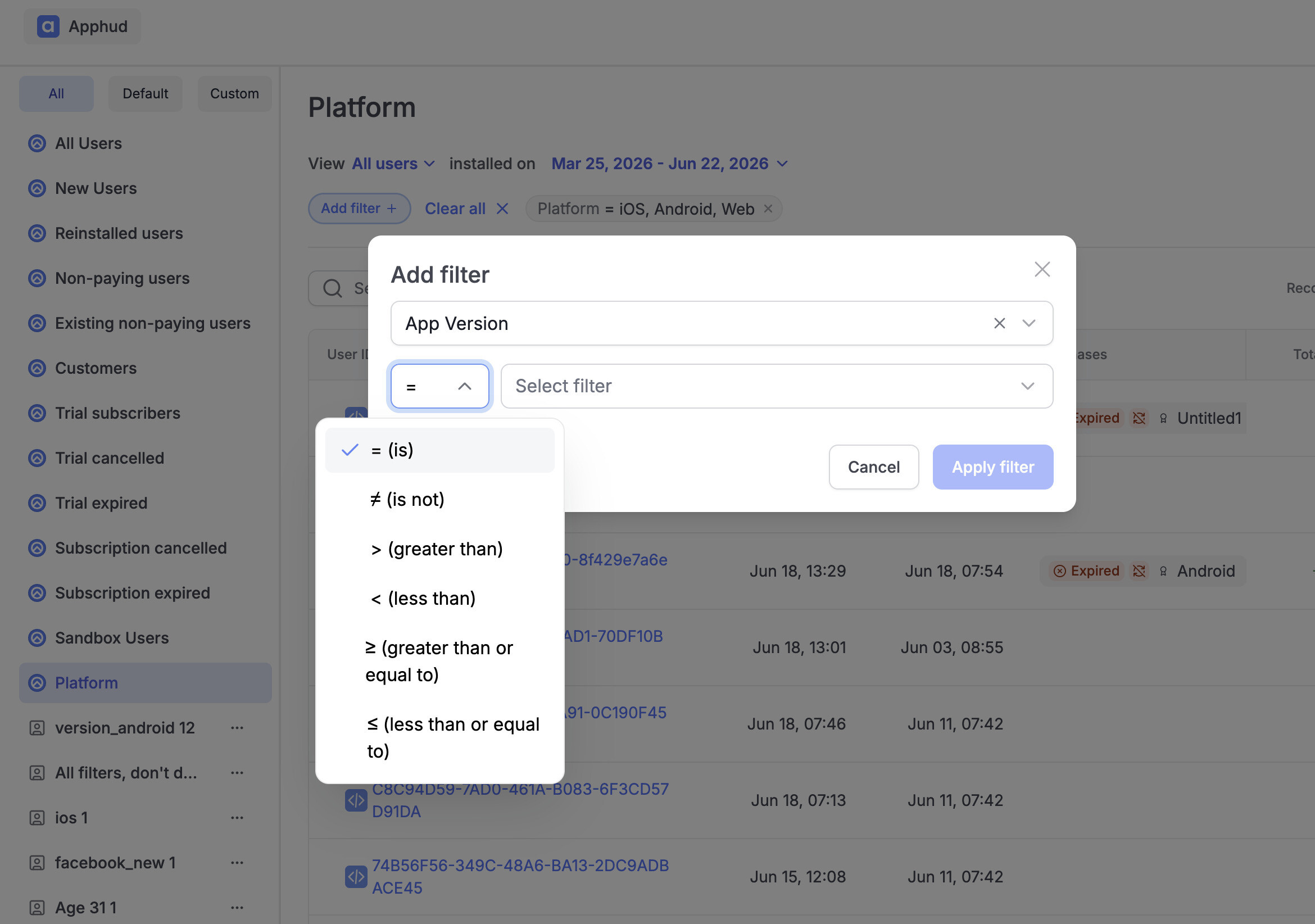 Flexible Audience filters at Apphud
More control, fewer support tickets.
A lot of things that used to mean a support ticket are now a switch in your dashboard. Turn on LTV Predictions yourself, set Trial Active / Subscription Active event delays in App settings, or transfer org ownership instantly — no waiting on us.
Under the hood you also get per-store API keys: each store has its own key instead of one master, so you can rotate or remove a store independently and keep things more secure. Also, new in this release Xiaomi Mi Store support, alongside the bunch of other great things we delivered.
Check the detailed changelog here.
What’s Next
We’re expecting other great updates this Summer, such as Rules for Android.
Thanks for staying with us — more updates coming soon!
